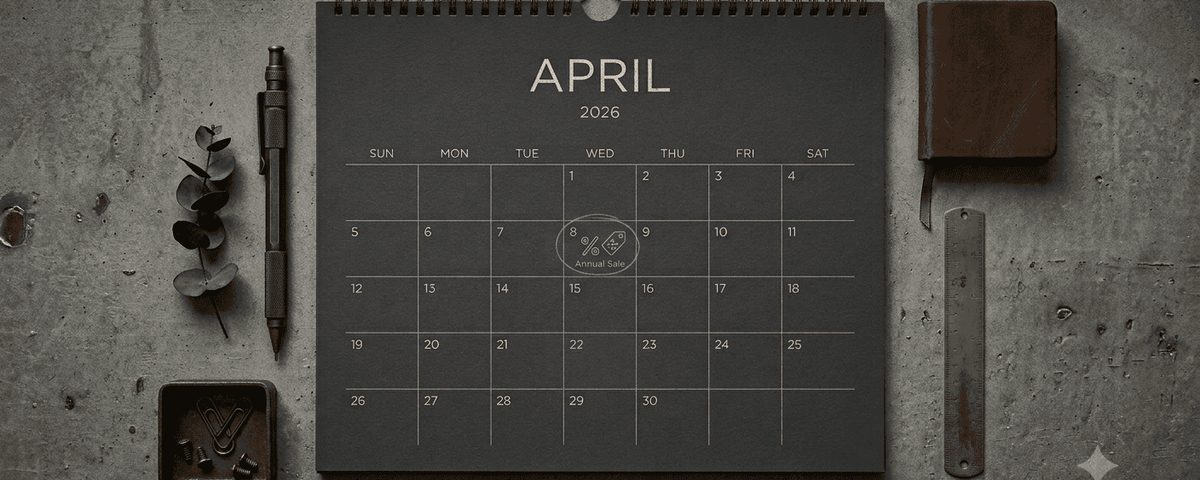
By default, campaigns in Randio are manual — you set the start and end dates and activate each instance yourself. This gives you full control, and for many merchants it is the right approach, especially when campaigns are tied to specific events or product launches.
Automatic scheduling is a toggle you can flip on or off for any campaign. When it is on, Randio launches new instances on a recurring schedule without you needing to remember. Turn it off any time and the campaign goes back to manual.
How it works
When you enable automatic scheduling on a campaign, you set three things:
- Frequency — how often a new instance launches. Options are weekly, biweekly (every two weeks), or monthly.
- Start day — the day of the week (or month) when each instance begins.
- Duration — how long each instance runs before expiring. This works the same as manual campaigns.
Once the toggle is on, Randio handles the rest. At the start of each cycle, a new campaign instance is created automatically. Fresh catalogs are generated for every customer in the customer group, their personalized prices are applied directly — no codes to issue or enter — and emails go out, all without you touching the dashboard.
Manual override while automatic is on
You can manually schedule the next instance even while automatic scheduling is enabled. Randio runs your manually scheduled instance, then reverts back to the automatic rhythm afterward. This is useful when you want to push a one-off instance at a specific time — maybe to align with a sale or event — without disrupting the ongoing schedule.
Each instance generates entirely new catalogs. Even if a customer was in the previous instance with the same strategy, they get a different selection of products at different discount percentages. Returning customers always see something new.
Fresh catalogs every cycle
This is the key detail that makes automatic scheduling more than just a convenience feature. Because Randio's engine randomizes product selection and discount depth for each catalog, every instance is genuinely new. A customer who received a catalog last week with a 25% discount on a blue jacket might get a 15% discount on running shoes this week.
This matters for post-purchase re-engagement. Customers who bought from your last campaign are not going to be excited about seeing the same products again. Automatic scheduling combined with randomized catalogs means the experience stays fresh without you manually curating each round.
Catalog budgeting
Each campaign instance uses catalogs at activation — one catalog per customer in the group. This is the same cost model as manual Outreach campaigns, but the recurring nature means you need to plan your catalog budget accordingly.
Here is the math: if your customer group has 500 people and you run a weekly automatic campaign, that is 500 catalogs per week, or roughly 2,000 catalogs per month. With a plan that includes a 3,750 catalog allowance, that leaves room for other campaigns. On a smaller plan with a 750 catalog allowance, a weekly schedule for a 500-person group would exhaust your catalogs before the second week is out. Where you land depends on where you set the pricing slider.
Group size × instances per month = monthly catalog cost
Make sure your catalog budget can sustain the frequency you choose. Running out of catalogs mid-month means the next scheduled instance will be blocked until catalogs are available.
Best practices
Pair with organically growing groups
Automatic scheduling works best with customer groups that grow on their own — for example, a group defined as "customers who purchased in the last 90 days." New buyers are automatically added to the group and included in the next campaign instance. You set up the campaign once, and the audience naturally evolves.
Match frequency to purchase cycle
A good rule of thumb: your campaign frequency should be roughly 4x the group's actual purchase frequency. If the group tends to buy once a quarter, run campaigns about once a month. If they buy monthly, weekly campaigns make sense. This keeps your brand present between purchases without overwhelming people who are not ready to buy yet.
For consumables or low-cost impulse products where the group repurchases often, that math naturally leads to weekly or biweekly campaigns. For higher-ticket items like furniture or electronics where the group buys once or twice a year, monthly to quarterly is more appropriate. Sending campaigns faster than that leads to fatigue and unsubscribes — most recipients are not in a buying window when the email arrives.
Use for post-purchase re-engagement
One of the strongest use cases for automatic scheduling is keeping recent buyers engaged. A biweekly campaign targeting customers who purchased in the last 60 days creates a steady drip of personalized offers that arrive while your brand is still top of mind.
Monitor and adjust
Automatic does not mean "set and forget forever." Check your campaign results after the first two or three instances. If conversion rates are declining, your frequency might be too aggressive, or the customer group might need refinement. Adjust the frequency or swap the strategy — the scheduling infrastructure stays in place.
Manual vs. automatic: when to use each
Use manual scheduling when campaigns are event-driven — a product launch, a seasonal sale, a one-time promotion. You want full control over timing and do not plan to repeat the exact same setup.
Use automatic scheduling when campaigns are rhythm-driven — ongoing re-engagement, regular touchpoints with your best customers, or consistent weekly offers. The frequency guide covers how to choose the right frequency for your store's purchasing patterns.